For Investigators
For Investigators is a central, actionable page that helps scientists identify, access, and utilize UofL's resources to accelerate high-impact research.
A Step-by-Step Guide to Linking ORCID, eRA Commons, and SciENcv for NIH Submissions
The National Institutes of Health (NIH) is transitioning to a standardized set of disclosure forms, known as Common Forms, to align with federal-wide requirements for research security and transparency. These changes significantly impact how researchers prepare their Biographical Sketches and Current and Pending (Other) Support documents using SciENcv.
1. Implementation Timeline and Leniency Period
As of the most recent official guidance (NOT-OD-26-018 and NOT-OD-26-033), the implementation timeline is as follows:
- Effective Date: January 25, 2026. This applies to all applications, Just-in-Time (JIT) submissions, and Research Performance Progress Reports (RPPRs) with due dates on or after this date.
- Leniency Period: NIH has extended a leniency period through May 2026. During this window, applications using the legacy NIH format will receive a system warning but will not be withdrawn.
- Full Enforcement: Starting in late May 2026 (exact date to be announced in Spring 2026), the use of Common Forms generated via SciENcv will be system-enforced as a hard error, meaning non-compliant applications will be rejected.
2. The Shift to Common Forms and SciENcv
Under the requirements of National Security Presidential Memorandum-33 (NSPM-33), federal agencies are standardizing how investigators disclose professional activities.
Mandatory SciENcv Use: Researchers must use the Science Experts Network Curriculum Vitae (SciENcv) to generate these forms. NIH will no longer provide or accept standalone MS Word templates for the Biosketch or Other Support.
Digitally Certified PDF: SciENcv will produce a digitally certified PDF that includes a persistent identifier (ORCID ID) and an electronic signature.
PI Certification: The final certification must be performed by the individual investigator within their own SciENcv account. By certifying, they acknowledge that the information is current, accurate, and complete.
3. Key Changes to the Biographical Sketch
The new format splits information into two components that are merged into a single PDF by SciENcv:
Biographical Sketch Common Form: This section collects standardized data used across all federal agencies, such as name, Persistent Identifier (ORCID ID), and professional positions/appointments.
NIH Biographical Sketch Supplement: Since the Common Form is generic, NIH requires this supplement to capture three agency-specific elements:
- Personal Statement (3,500 character limit).
- Contributions to Science (up to 5 entries, 2,000 characters each).
- Honors (maximum of 15 entries).
Removal of Section D: The Scholastic Performance section (formerly used for Fellowship applications) has been removed.
Products/Citations: A maximum of ten citations may be listed (typically 5 related to the project and 5 others). Importantly, links to MyBibliography are no longer allowed; the only active link permitted is the investigator’s public ORCID ID profile.
4. New Research Security Disclosures
A major driver of these changes is research integrity. The new forms include:
Malign Foreign Talent Recruitment Program (MFTRP): Investigators must certify that they are not a party to a malign foreign talent recruitment program at the time of application and annually during the RPPR process.
Foreign Support: Other Support disclosures now require the submission of copies of contracts for any foreign appointments or employment for all senior/key personnel.
5. Essential Action Items for Researchers
To prepare for these changes, the NIH recommends the following:
- Register for an ORCID ID: This is now a requirement. It must be linked to both your eRA Commons profile and your SciENcv account.
- Link Accounts: Ensure your NCBI/SciENcv account is linked to your institutional login and eRA Commons to allow data to flow between systems.
- Delegate Access: If you use administrative support for grant prep, you must assign delegates within SciENcv, though you must still log in personally to sign the final document.
Account Access & Management
*** If you do not have an ORCID account, you will need to create one before proceeding. We highly recommend checking for old accounts before creating a new account.***
Before working in SciENcv, you must ensure your ORCID ID is linked to your eRA Commons account to pull baseline data into SciENcv.
New SciENcv Account: On the NCBI homepage click Log in > Select ORCID > once sign in is confirmed, you will be redirected back to SciENcv and your ORCID ID should now be linked and any forms added
Existing SciENcv Account: Sign into existing account from the NCBI homepage > Account Settings > Add account (Linked Accounts) > Search for ORCID and sign in
Verify: Ensure the ORCID ID in eRA Commons matches the one you intend to use in SciENcv. On the ORCID authorization page, scroll to the bottom and click Authorize Access if needed.
Adding Delegates
You can add staff or librarians to help manage your My Bibliography or SciENcv documents.
In MyNCBI: Name (top right) > Account Settings > Delegates > Add Delegate
Please Note: All senior/key personnel, as well as delegates, listed on an application must have an ORCID ID and the ID must be linked to their eRA Commons Personal Profile.
Creating and Updating Documents
Under "My Bibliography" you will be able to add or edit existing documents.
For the Proposal Section, select up to 5 distinct citations (referred to as Products) that demonstrate the impact of your professional and scholarly activities.
An additional 5 entries for contributions to science are allowed but cannot include standalone citations. You may only reference the products listed in the designated proposal section (e.g., "Koby et al. 2025").
CREATING A NEW DOCUMENT
1. Click on “Create a New Document” from your SciENcv dashboard.
2. Give your new Common Form a name
3. Use the “document type” dropdown to select Common Forms
4. Choose your data source:
- Use an external source
- Use an existing document
- Start with a blank document
5. Click create
6. Review the document for missing information, errors, and compliance
• Template Use: You can use old NIH biosketches as templates for the new Common Form, but you must manually update required fields like country of origin, location of appointments, and start/end dates.
• Hyperlinks: While generally prohibited in NIH applications, system-generated hyperlinks for ORCID and PubMed/PMC IDs are officially permitted.
Finalizing: Certification and Download
1. Review the document for compliance.
2. Send notification in SciENcv that the document is ready for certification
3. You must leave the document and go back into the documentation to see certification
4. If the certification has been completed, you will be able to download the document. Or the PI can email the form.
• PI Action Required: A delegate cannot download the final PDF. The Principal Investigator (PI) must log in, click Download, and complete the Certification box (confirming information is correct and certifying they are not part of a malign foreign recruitment program).
• Edits After Certification: If changes are needed after downloading, you must make them within the SciENcv platform and re-certify the document to generate a new PDF. You cannot edit the PDF file directly.
Trouble Shooting
The platform is currently under significant stress due to high user volume.
• Browser Issues: If you see an error like "You have not created a CV yet" when you know you have, try a different browser (e.g., switch from Chrome to Safari) or an Incognito window.
• Technical Errors: For "Token Expired" or "XML Error" messages, clear your browser cache and cookies, or log out and back in.
• Sticky Buttons: Some buttons (like adding an ORCID to a document) may require you to click them twice for the action to save.
Helpful Common Forms Links & FAQ
New! Introducing Protocol Builder
This cloud-based platform guides investigators through the protocol writing process, ensuring completeness, accuracy and compliance with regulatory standards. Benefits of using Protocol Builder include instructions and sample text, version control and tracked changes capability, informed consent templates, and collaborative review tools.
Office of Research and Innovation
The Office of Research and Innovation (ORI) serves as the central office providing comprehensive, overarching support for research activities across the university.
Office of Sponsored Programs
The Office of Sponsored Program Administration (OSPA) handles critical functions related to grant and contract transmittal, signoffs, and adherence to deadlines. This office is also responsible for reviewing data use and sharing agreements. Contact: 502.852.3788 or ospa@louisville.edu
Office of Technology Transfer
Technology Transfer supports innovation and facilitates the commercialization of intellectual property generated from UofL research. Contact: 502.852.2965
Human Subjects Protection Program (HSPPO) / IRB
The Human Subjects Protection Program (HSPPO) / IRB oversees all aspects of Institutional Review Board (IRB) review, informed consent processes, and HIPAA compliance for research involving human subjects. Contact: 502.852.5188 or hsppofc@louisville.edu
Office of Research Integrity
Research Integrity / Conflict of Interest is responsible for ensuring ethical conduct in research and managing potential conflicts of interest. Contact: 502.852.2454
Navigating Compliance & Regulatory Requirements
In this section, you will find tips and links for navigating common compliance and regulatory requirements. PIs must ascertain necessary approvals before any research activities can take place.
- All research studies require IRB approval before a study can begin. Submit a new study for approval using iRIS.
- For contracts and grants, PIs must also enter their project into Cayuse for tracking.
A step-by-step guide to submit a new research proposal for IRB approval using iRIS can be found here.
A step-by-step guide through the entire IRB submission process can be found here.
⛨ Research studies involving ULP, UofL Health Hospitals, and UofL Health Outpatient Centers require approval from the UofL Health Research Office (ULHRO) prior to research being conducted in a UofL Health facility. Email: research@uoflhealth.org
⛨ Research studies conducted at Norton Healthcare facilities must obtain site approval from the Norton Research Institute prior to starting. Email: ro@nortonhealthcare.org
All PIs and research support staff involved in clinical research are requested to download the PI Role & Responsibilities Quick Guide for easy desktop reference.
Laboratories & Resources
By centralizing these resources, UofL removes barriers for individual investigators to access advanced tools and encourages cross-departmental and cross-school partnerships. This directly enables research that might otherwise be impossible due to resource limitations or lack of specialized expertise within a single department. This shared infrastructure accelerates research by maximizing resource utilization and promoting synergistic interactions between diverse scientific fields.
Protocol Builder
This cloud-based platform guides investigators through the protocol writing process, ensuring completeness, accuracy and compliance with regulatory standards.
Kornhauser Health Sciences Library
Investigators at UofL have access to a variety of essential databases and repositories for research and clinical resources through the university library. For further assistance with data management, the Kornhauser Health Sciences Library can be contacted at 502.852.5771.
CORE Laboratories
The UofL CORE Labs are shared biomedical and engineering facilities specifically designed to support collaborative research. These centralized resources provide investigators with access to specialized equipment and expertise that individual laboratories might not possess, thereby fostering efficiency and enabling advanced scientific inquiry across various disciplines.
CITI Training
CITI Training is a platform where you can complete research trainings ahead of conducting research. The CITI Program offers a number of required and optional courses, ranging from responsible conduct of research (RCR) training to an introduction to grant writing. Verify your team's training status
Data Management Plan
The Data Management Plan Tool can be used to assist in the development of your data management plans in order to fulfill funder requirements. View examples of Data Management Plans submitted to NSF, NIH, and more. Log in with your UofL email address.
University of Louisville Clinical Trials Unit
The Clinical Trials Unit (CTU) is a central research unit that provides services to investigators, sponsors and research staff conducting clinical research trials involving healthy subjects or patients.
The CTU Outpatient Research Clinic includes:
- five exam rooms,
- four infusion bays, and
- a sample collection room.
Bioinnovation Groups
UofL offers distinct bioinnovation initiatives for researchers. Bluegrass Biodesign is a program for medical and engineering students to collaborate on developing new medical devices. Mid-South REACH is an NIH-funded hub that supports the commercialization of biomedical innovations across a four-state region. Finally, the Clinical Research Innovation Initiative provides technical assistance and training on using wearable technologies in clinical trials.
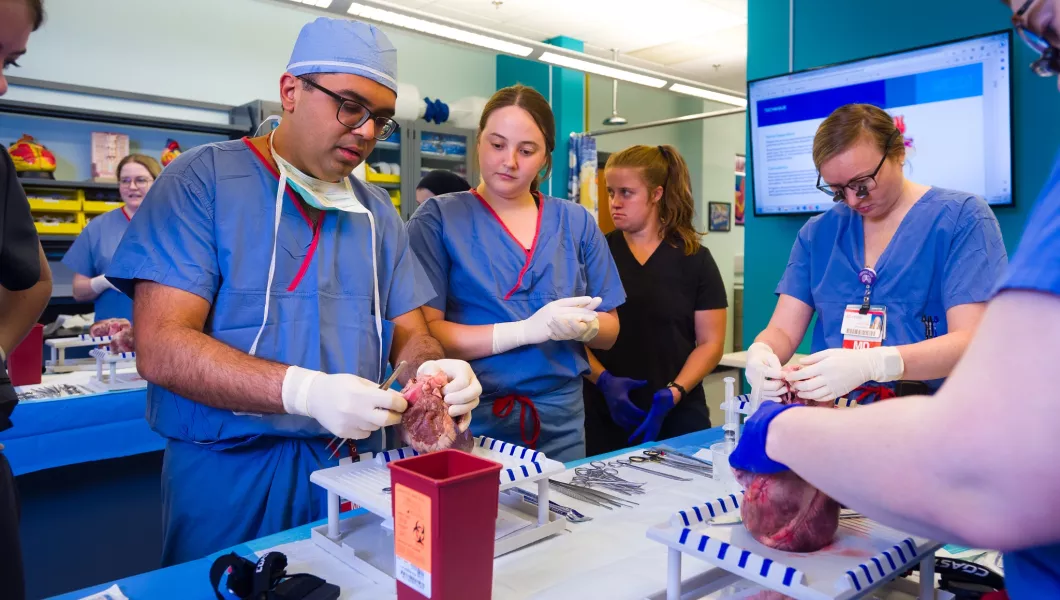
Bluegrass Biodesign - Center for Health Process Innovation
Bluegrass Biodesign is an accelerated, 9-month biomedical program for medical students. Modeled on the Stanford Biodesign curriculum, it integrates medical and engineering students to identify unmet clinical needs and develop new medical devices. The program includes a curriculum on medical entrepreneurship and the creation of a proof of concept. Applications are open to rising second, third, and fourth-year medical students at the start of the Spring semester.
Mid-South REACH (formerly Excite/Kinetic)
Mid-South REACH is a new Research, Evaluation, and Commercialization Hub funded by the National Institutes of Health (NIH) in September 2023. Led by Vanderbilt University, this program is a collaboration with the University of Louisville, George Mason University, and Jackson State University. Mid-South REACH is a product-focused program that provides commercialization education, training, coaching, and strategic feedback to awardees through a milestone-based project management system. It is open to fellows, junior faculty, and faculty involved in biomedical innovation research for commercialization. Apply for the Fall 2025 Launchit Product Innovation Bootcamp.
Clinical Research Innovation Initiative
The Clinical Research Innovation Initiative (CRII) is a collaborative effort led by Dr. Ted Smith to advance the use of wearable technologies in clinical trials. It serves as a clearinghouse for information and provides technical assistance, education, and training to UofL clinical investigators. The CRII partners with the UofL Custom Wireless and Electronics Laboratory and other national research partners. It is open to a wide audience, including principal investigators, research personnel, faculty, and community members interested in using wearable technologies in research. View the recording of the Wearable Devices in Clinical Studies Information Session.
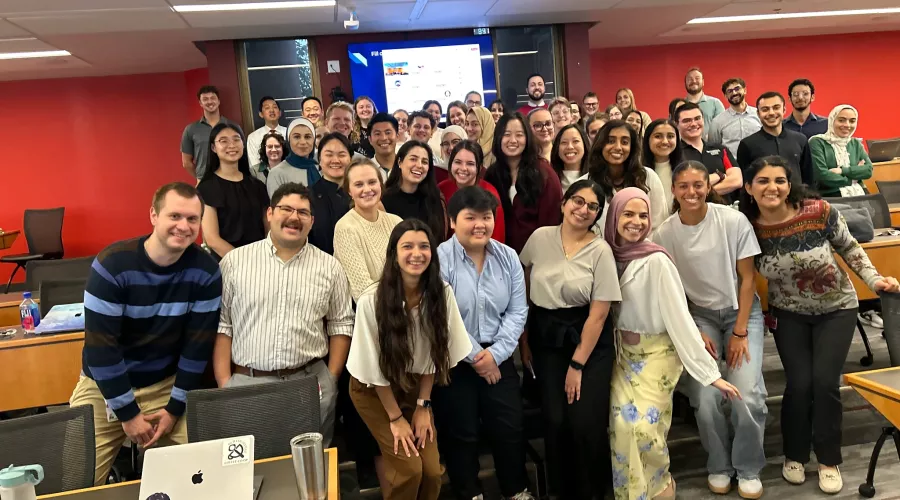
Bioinnovation Video Tutorials
Cohorts for Scientists Seeking Major External Funding
The Professional Development Core of the LCTRC hosts a K Cohort (for those seeking a mentored career development award) and a R01 Cohort (for those seeking an independent researcher award) to assist scholars in achieving major institutional funding.
LCTRC Core Services
Questions
For general questions, please reach out for support.